
Atlas is introducing Atlas Verified Fabric, a managed service for connecting the systems a business already uses and running custom code for its organization. Atlas builds and operates those integrations so authorized AI Employees can work across customer records, orders, inventory, finance, and the workflows between them. Fabric gives the team a workspace to inspect its installed systems, control workflows, and review what ran.
The reason for building it is practical. A company may already have a maintenance system, an accounting system, and an ERP that work well individually. The steps between them still depend on someone recognizing an event in one application, finding the corresponding record in another, and deciding what should happen next. Those steps often contain the company’s most specific operating rules.
Build around the way the business actually works
Consider a maintenance team ordering a replacement part. The request may begin in the maintenance application, while purchasing approval belongs in the ERP. Item codes must match. The right supplier and location must be selected. When the part arrives, the business needs to know which system records the receipt and which system updates stock. These are the kinds of workflows Fabric is designed to support.
That example also explains why connecting two APIs is only part of the work. The integration needs to preserve who can approve a purchase, which system owns each record, and what counts as a completed transaction. Fabric gives Atlas a consistent way to build those rules into a customer’s workflow and make its operation visible to the team.
A shared connection can support several teams. A sales AI Employee might need order history and available stock to prepare a customer response. An operations employee might use the same records to investigate a shortage. Fabric makes the approved tools available according to each employee’s role and access. Atlas manages the custom code and connections, with monitoring, maintenance, and support agreed as part of the engagement.
Shared infrastructure, customer-specific workflows
Fabric separates the machinery for running work from the behavior of a particular business. The shared system handles organization access, installed packages, schedules, queued jobs, configuration versions, and execution history. A customer package defines the workflows and settings that organization needs. Atlas engineers review and maintain the code behind those packages.
This means improvements to execution and oversight can benefit multiple customer implementations. The workflow itself can still reflect a company’s approval rules, record mappings, and operating process. A purchasing workflow and a service workflow can use the same underlying execution system while doing very different jobs.
Each run keeps its own record
Fabric records the configuration and software version used for an execution. If settings change later, the history still describes the run that actually happened. That matters when someone asks why a job behaved differently last week or needs to review a result before allowing the workflow to continue.
See what is running inside Atlas
The Fabric workspace presents installed systems and workflows as a visual map. Opening a workflow reveals its settings, controls, and execution history. Teams can distinguish work that is running from work that has completed, is paused, or needs review. The workspace also provides workflow controls outside the map, so inspecting and operating a package does not depend on navigating a diagram.
Fabric is available through Atlas navigation and can be opened from chat. An authorized employee can work with its installed connector tools under the existing access and approval rules. Owners and administrators control configuration and operation, while members can inspect the information they are permitted to see. The conversation and the workspace refer to the same underlying workflow records.
Handle an uncertain result before trying again
External systems do not always return a clear answer. A request can time out after the receiving application has already accepted it. For a purchasing workflow, blindly repeating that request could create a second order. Fabric’s execution model makes room for that uncertainty. Work with an unresolved outcome goes to review, and retries are reserved for failures that are explicitly safe to repeat.
The same principle applies when a workflow is paused. Pausing stops new work, but an external request already sent may still finish. A customer integration needs a way to check the receiving system and reconcile the result. We are building Fabric around these operating requirements because the value of an integration depends on what happens when the expected sequence breaks.
What the first release provides
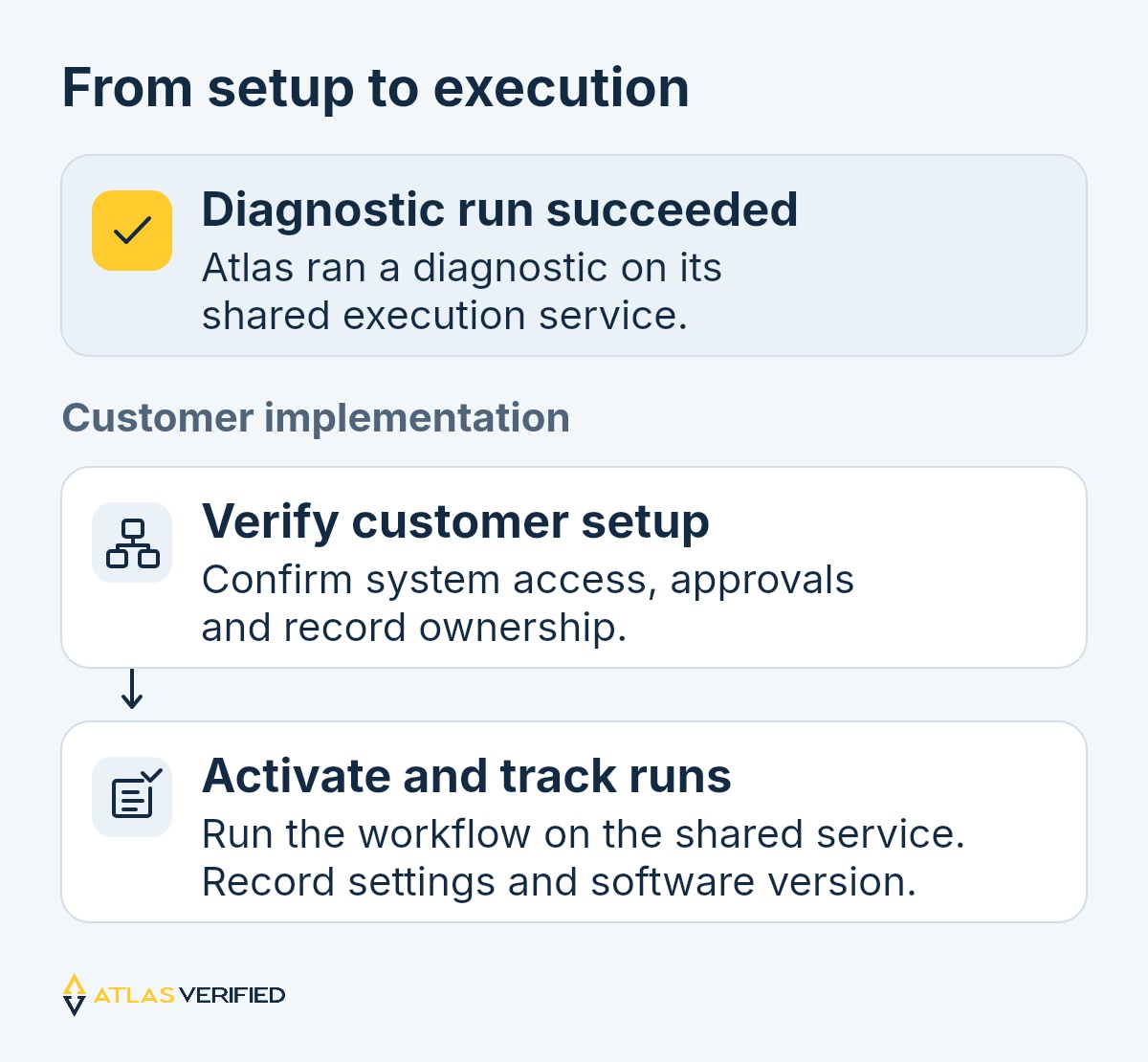
The first release establishes the shared execution service, organization-specific installations, workflow schedules and controls, the visual workspace, and run history. We have exercised the shared worker with a diagnostic workflow. That confirms the execution path inside Fabric and gives us a repeatable starting point for customer implementations.
Connections to a customer’s external systems are configured and verified as part of that implementation. They require supported system access, agreed approval rules, and confirmed ownership of the records being exchanged. Live purchasing and inventory writes are separate activation steps after those checks. A system shown in a proposed workflow is identified as awaiting setup until its connection is ready.
Start with one workflow
A Fabric engagement begins by identifying a specific process, the systems involved, and the people responsible for its decisions. We then define the package, implement the workflow, and verify its behavior before activation. Each package has a custom monthly price and may include a one-time implementation fee. AI usage continues through Atlas’s existing credit system.
Explore Atlas Verified Fabric, or talk with us about a workflow your team currently coordinates across applications. We’ll work through the systems, approvals, and records it needs to connect.